
Start with an instruction
Describe the outcome you want instead of starting from a blank message box.
Choose the moment and next action. Peoplelayer keeps the workflow moving.
Use AI to turn customer context, notes and workflow intent into useful drafts and next steps your team can review and send.
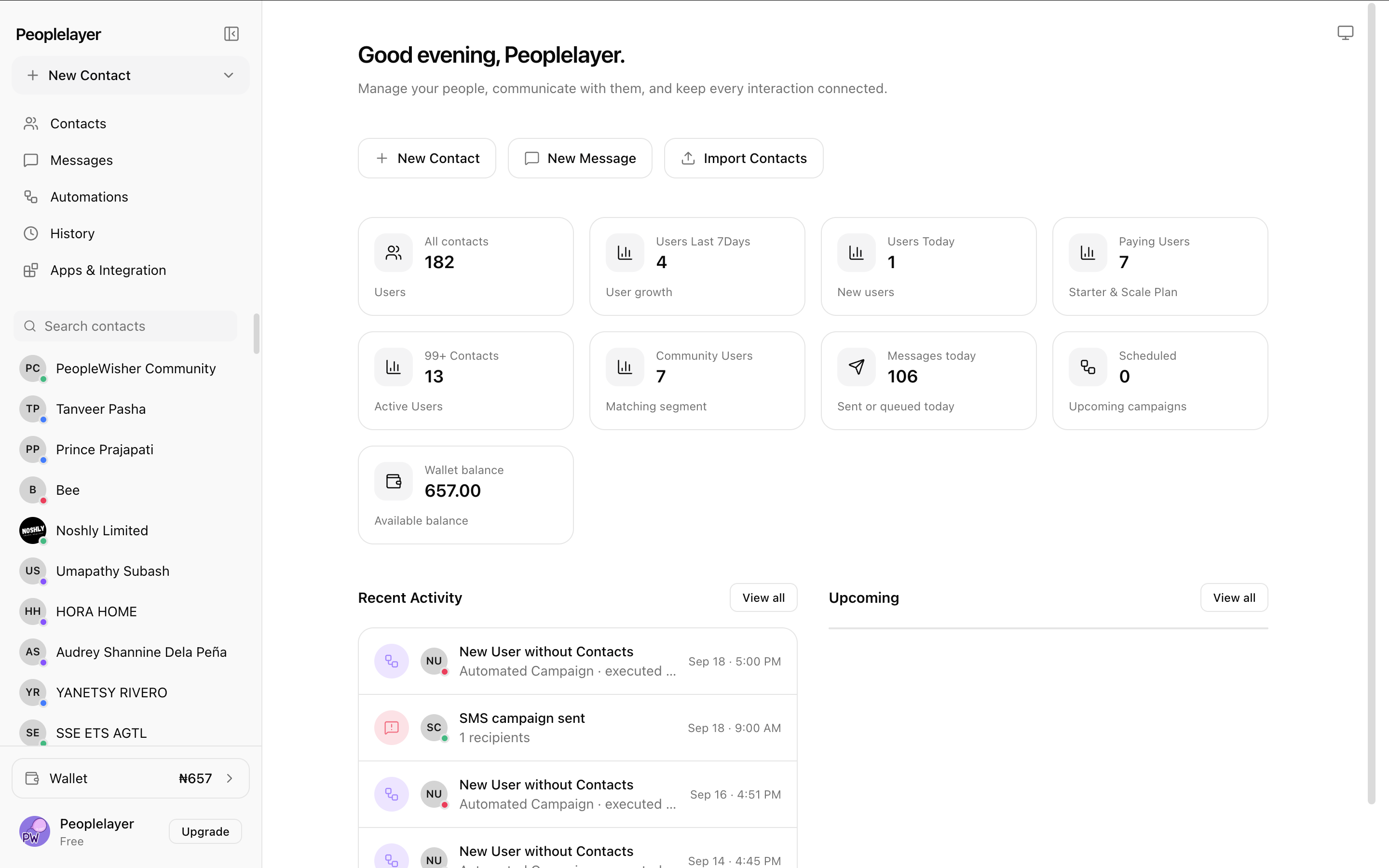
Peoplelayer keeps the feature close to the customer record and the next action it should create.
Describe the outcome you want instead of starting from a blank message box.
Use the information already stored in the record to make drafts more relevant.
AI helps with the work while your team decides what actually gets sent.
Pull the relevant record and interaction history.
Describe the outcome or tone you need.
Generate a personalized next message or action.
Approve, edit or send — your team stays in control.
Straight answers for teams evaluating Peoplelayer.
Peoplelayer can support automated workflows, while AI-assisted drafting is designed to give teams control over when content is reviewed or sent.
The intended experience is for AI to work from the context available in the Peoplelayer record and workflow.
Yes. AI-assisted drafts are meant to be reviewed and adapted by your team.
Start with the workflow that matters and expand when your team is ready.
Start free →